
Best Resume Format 2026: Samples for All Types of Resumes
- Learn how to format your resume
- See example resume sections
- Enhance yours with our variety of templates
- Download in PDF or TXT, or share online

Loved by interviewers at:





If you are looking for a job right now, you might be unsure how to format your resume to really grab a recruiter’s attention.
When writing or updating your resume, you need to structure it properly and make sure it can be parsed by ATS software while also captivating recruiters. It should look professional, visually appealing, and convey your skills and achievements effectively.
In this guide, we’ll outline everything you need to know about resume formatting and how to create the best one for your specific needs. Want to start building your resume already? Try our AI resume builder.
Choose a template in your preferred format, fill it with your unique information, get our expert guidance whenever you need it, and download your resume in minutes.
TL;DR: What’s the best current resume format?
Our experts say the best resume format is the reverse-chronological format. This is especially true for professionals with a long work history. It’s ATS-friendly, highlights your most recent experience first, and is widely preferred by recruiters.
✅ Prioritize clarity, simplicity, and consider if it can be read on any electronic device.
✅ Best for most roles: Reverse-chronological remains the go-to for professionals and job seekers alike in around 9 out of 10 applications.
Other options
✅ Functional format: Can be a good option for career changers, entry-level candidates, recent graduates, or students.
✅ Hybrid format: Great for combining skills and experience on your resume.
Choose a format suited to your career stage. You’ll also need to consider whether you should use a format that is suited to an ATS scan.
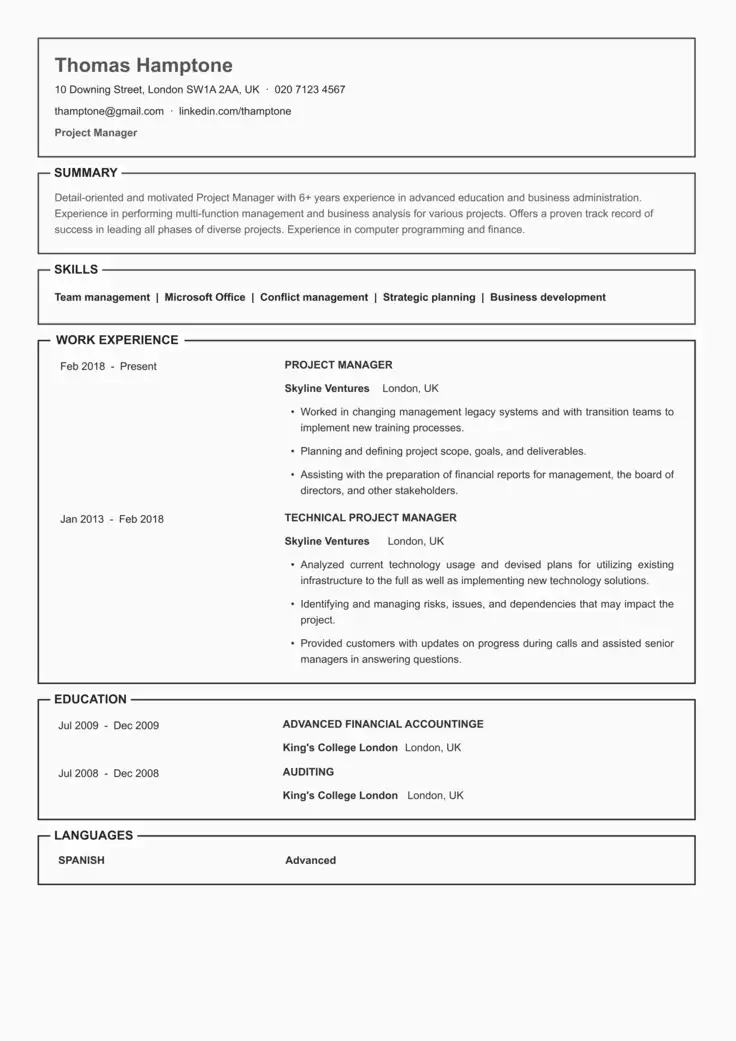
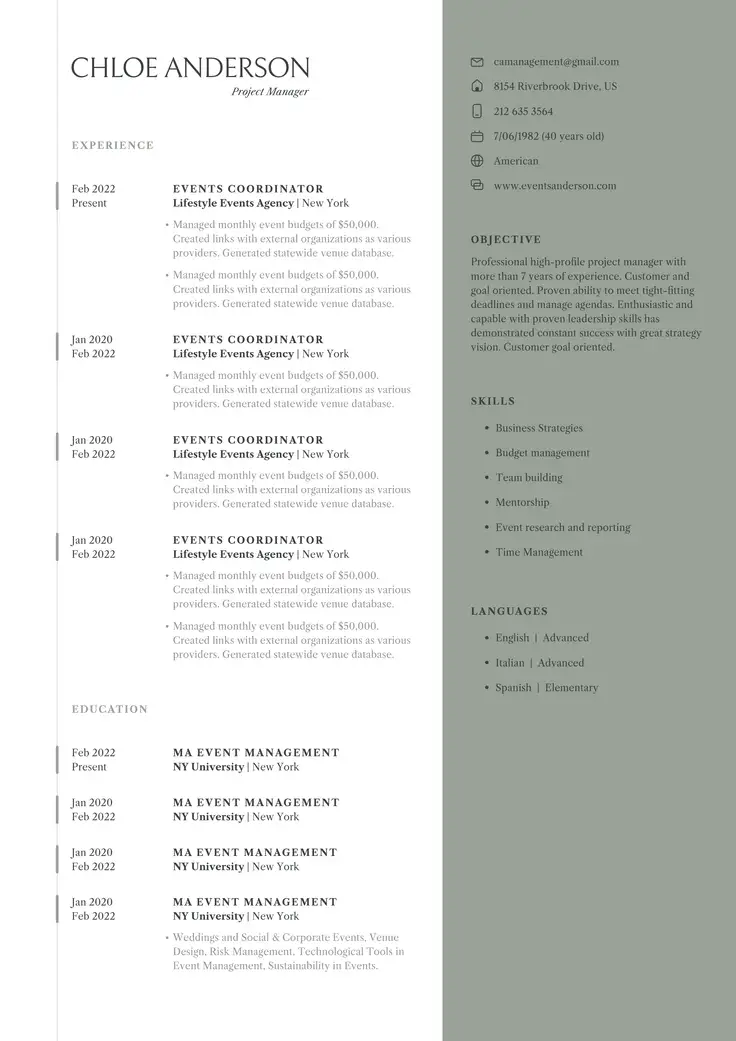
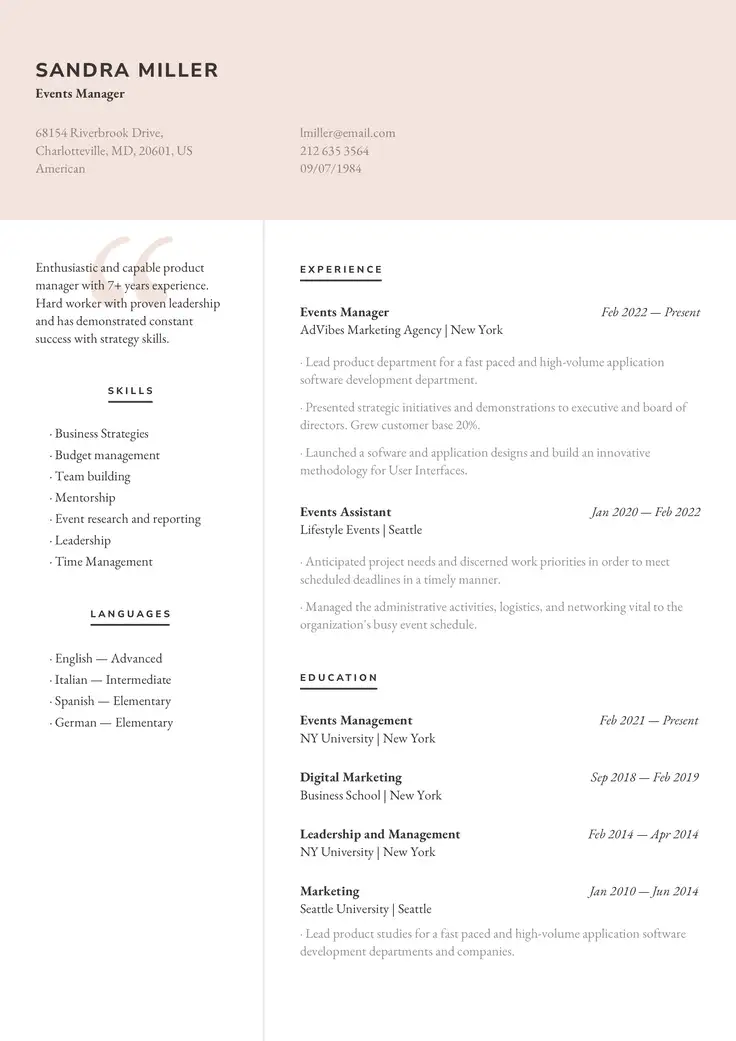
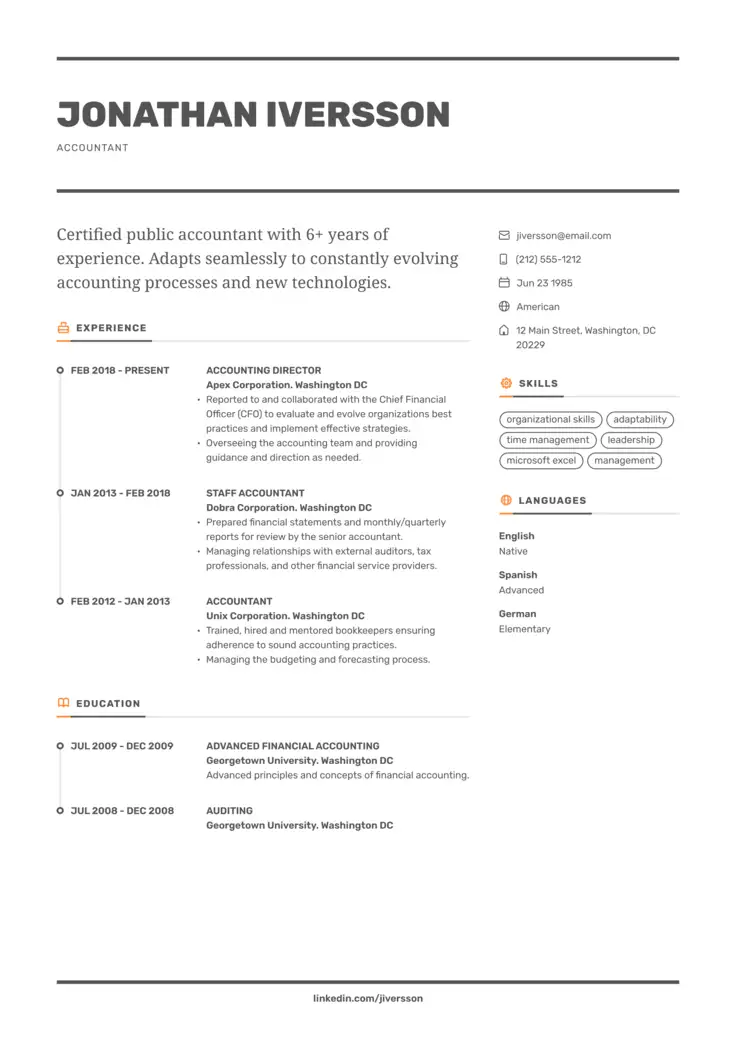
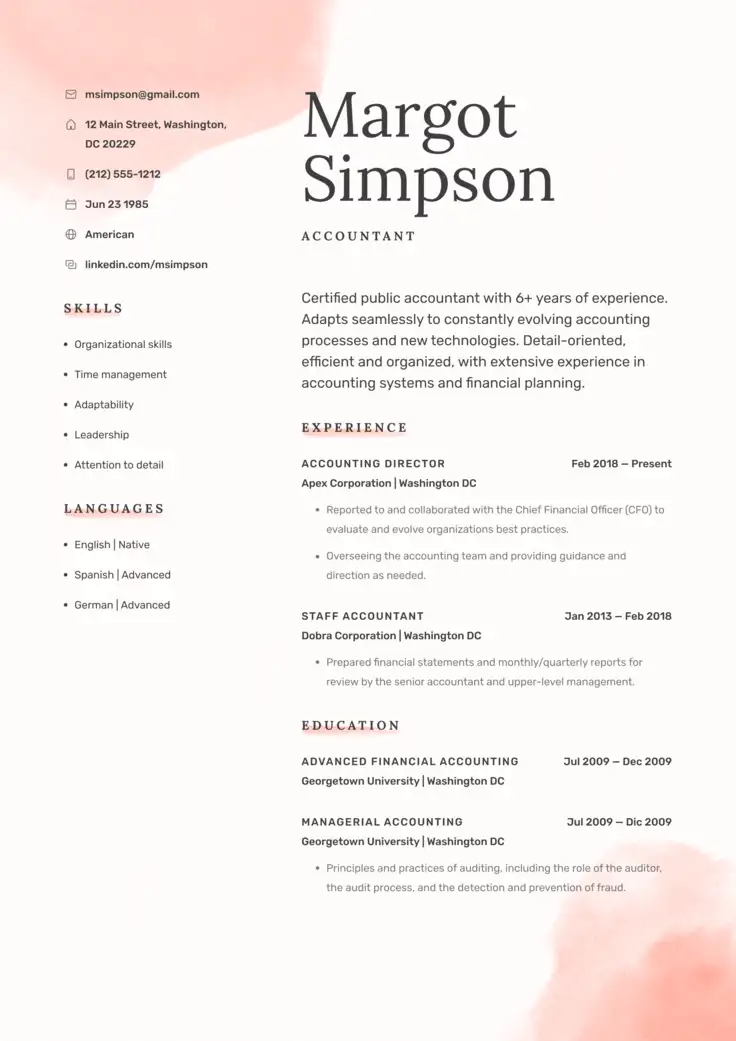
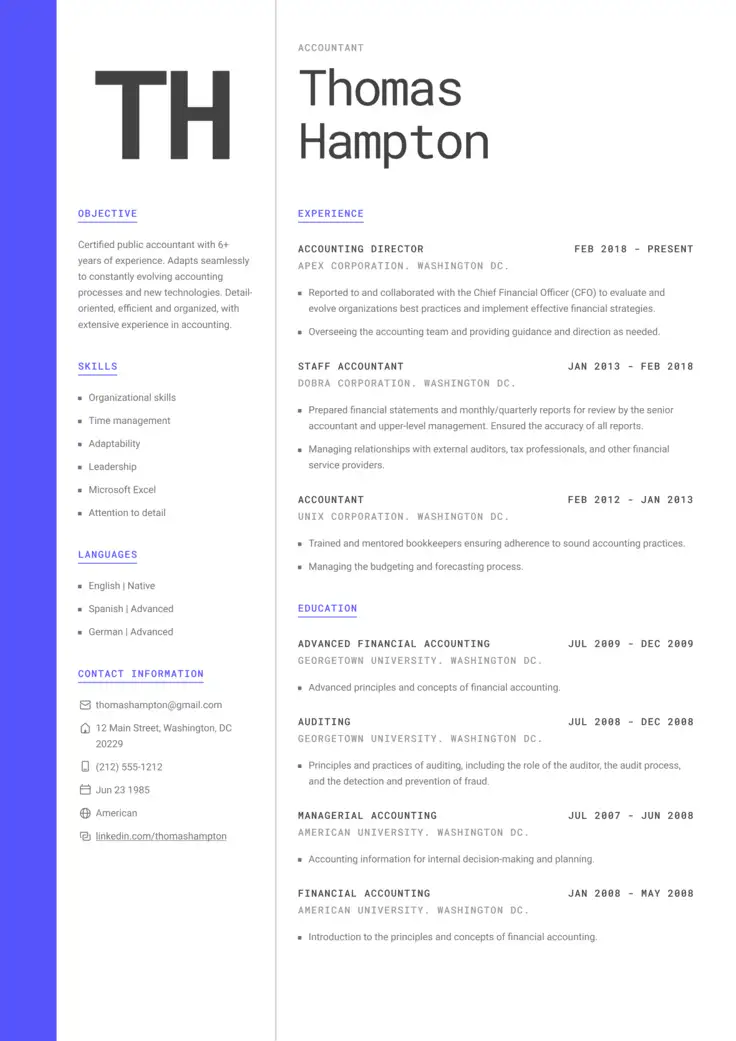
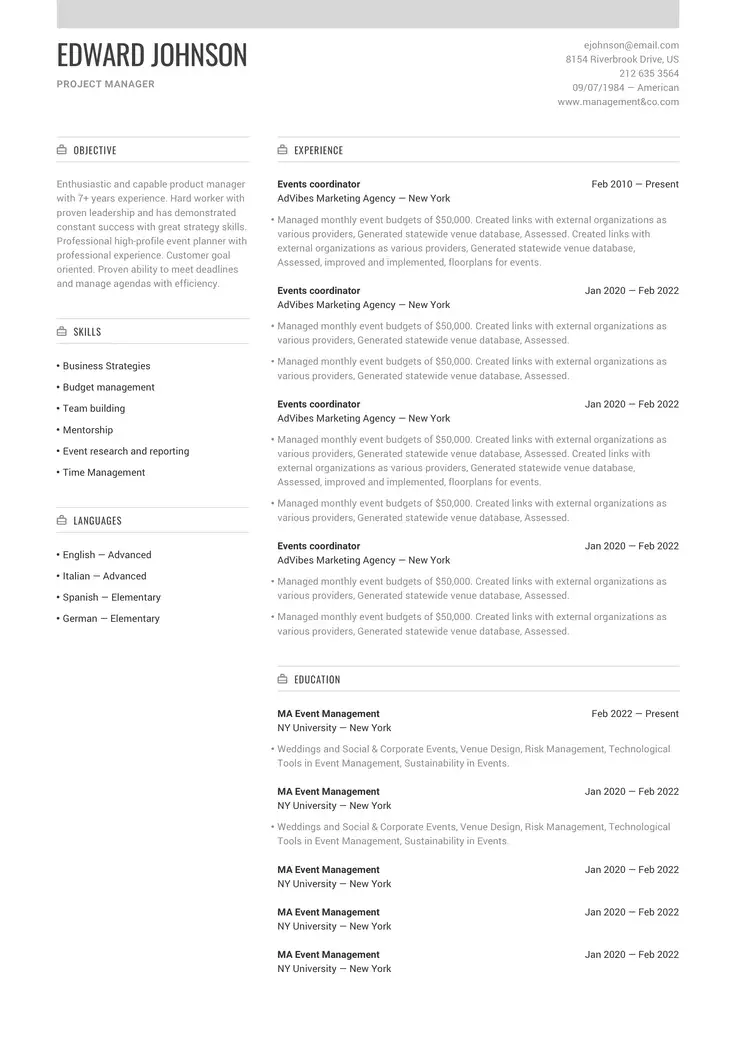
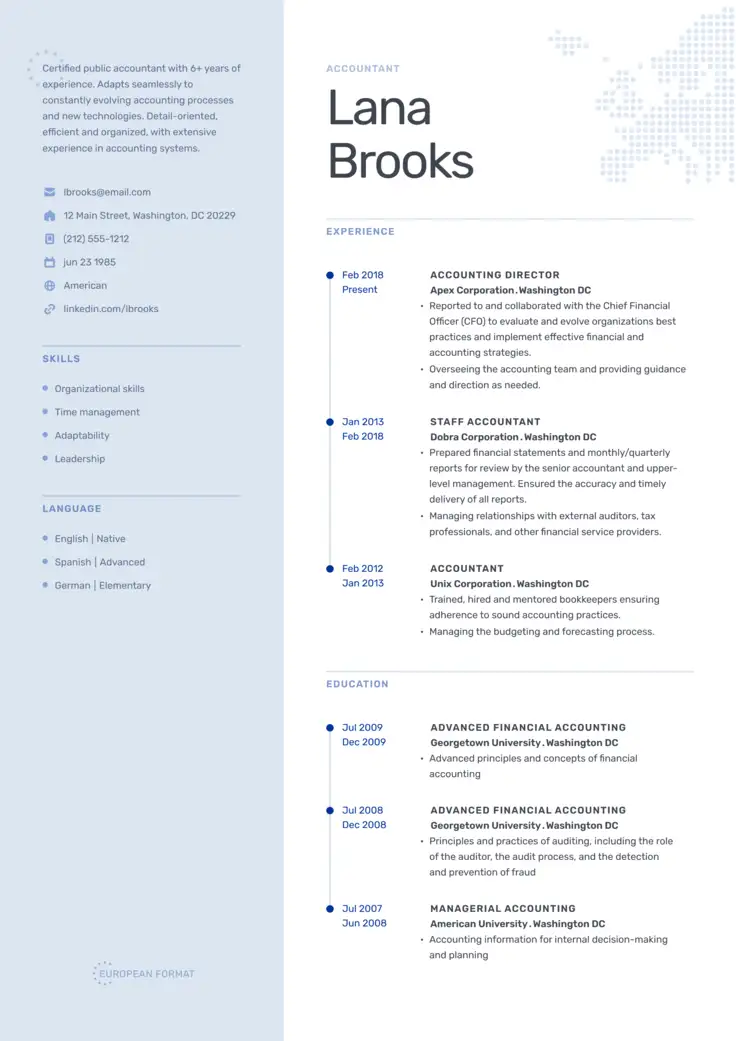
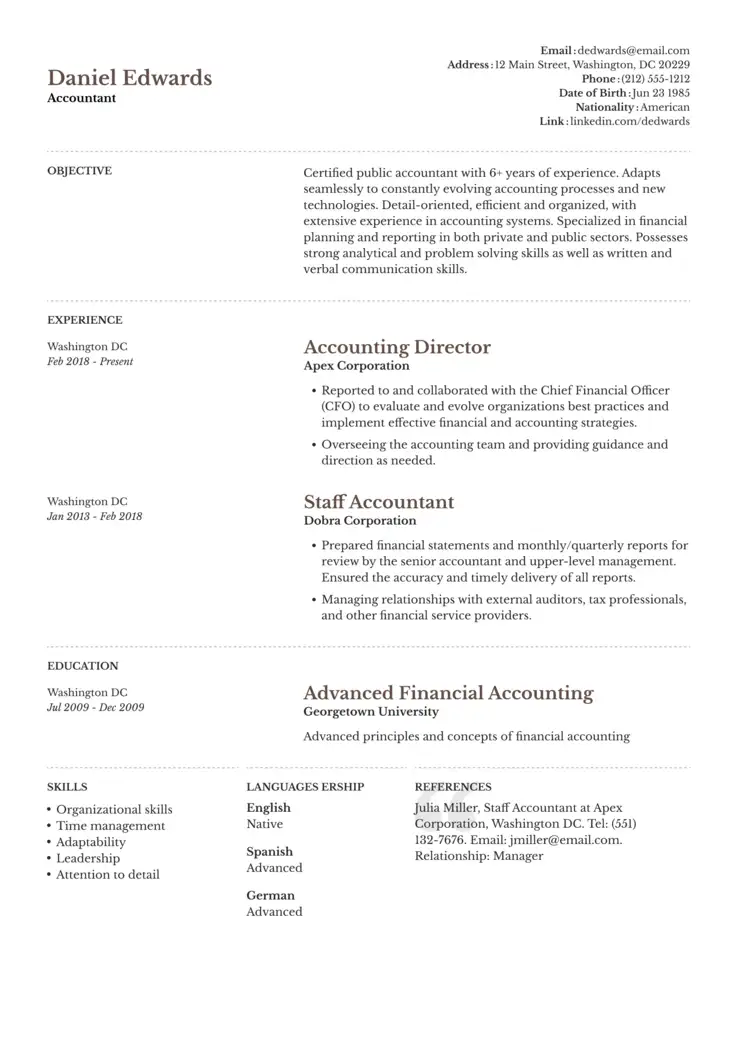
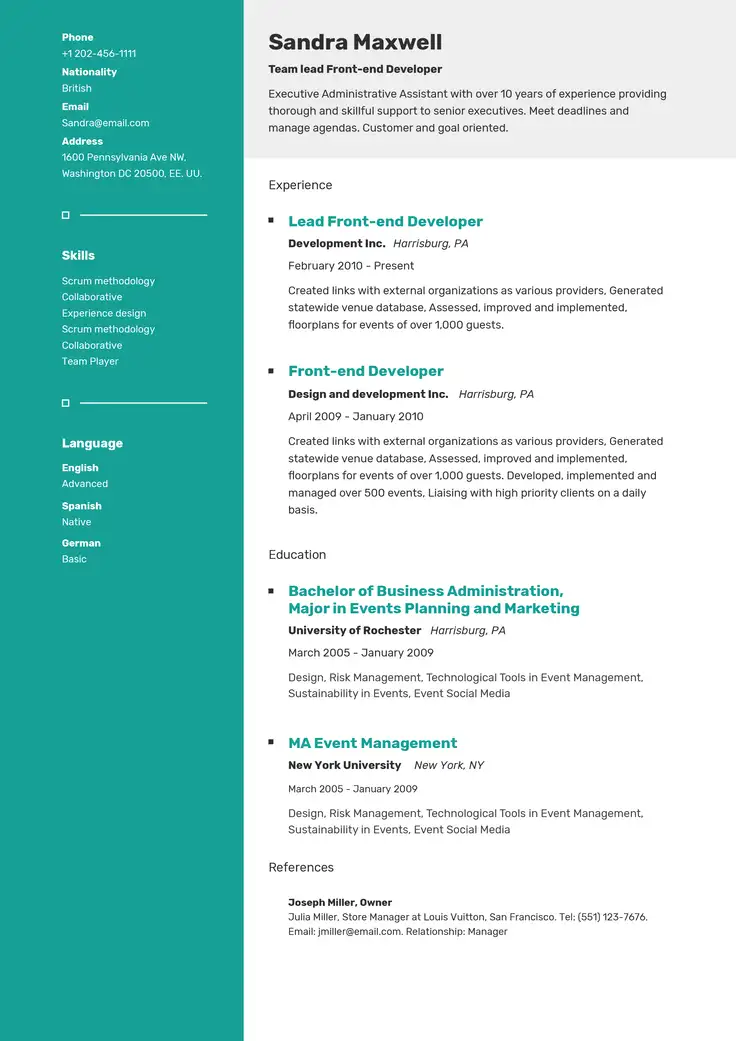
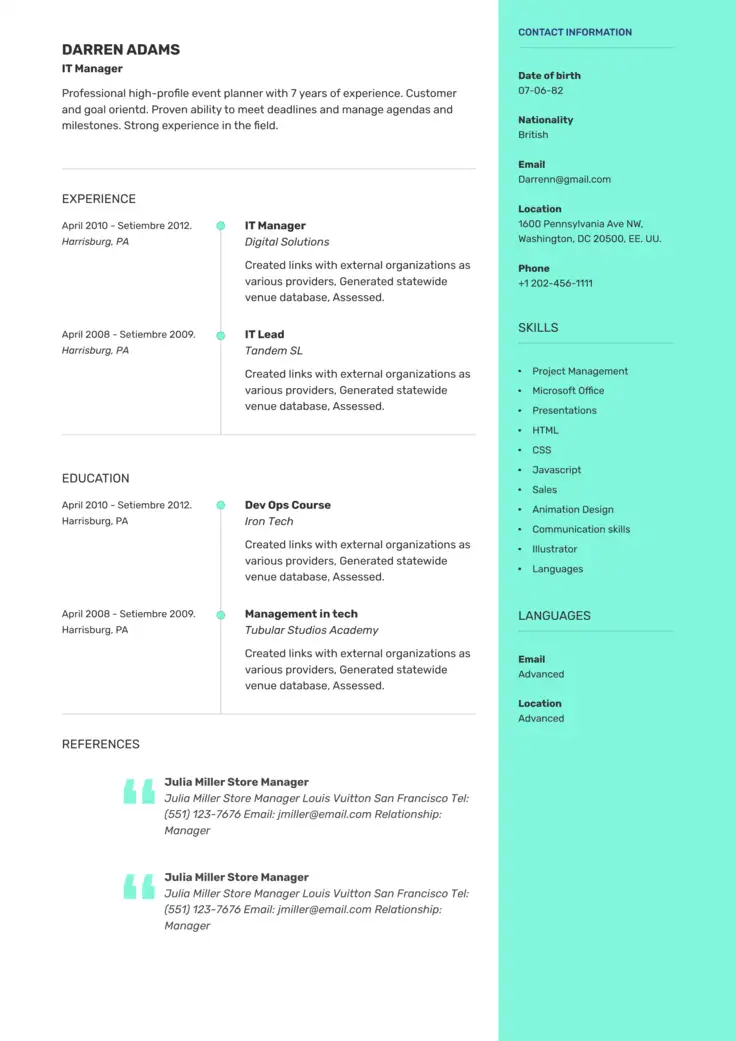
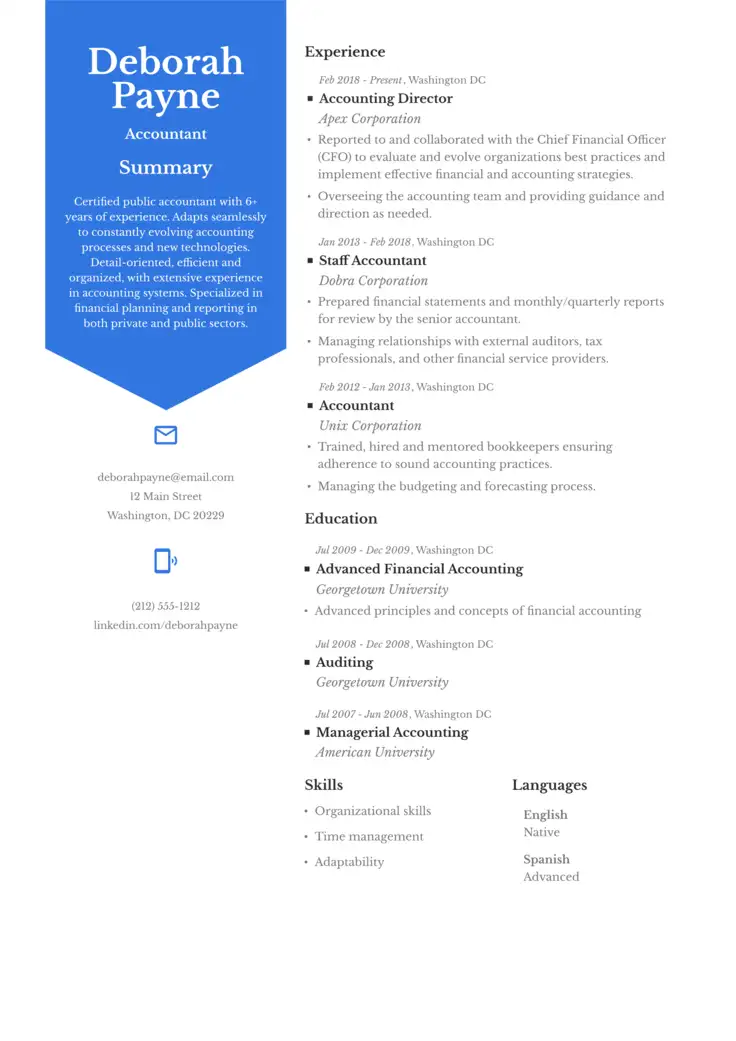
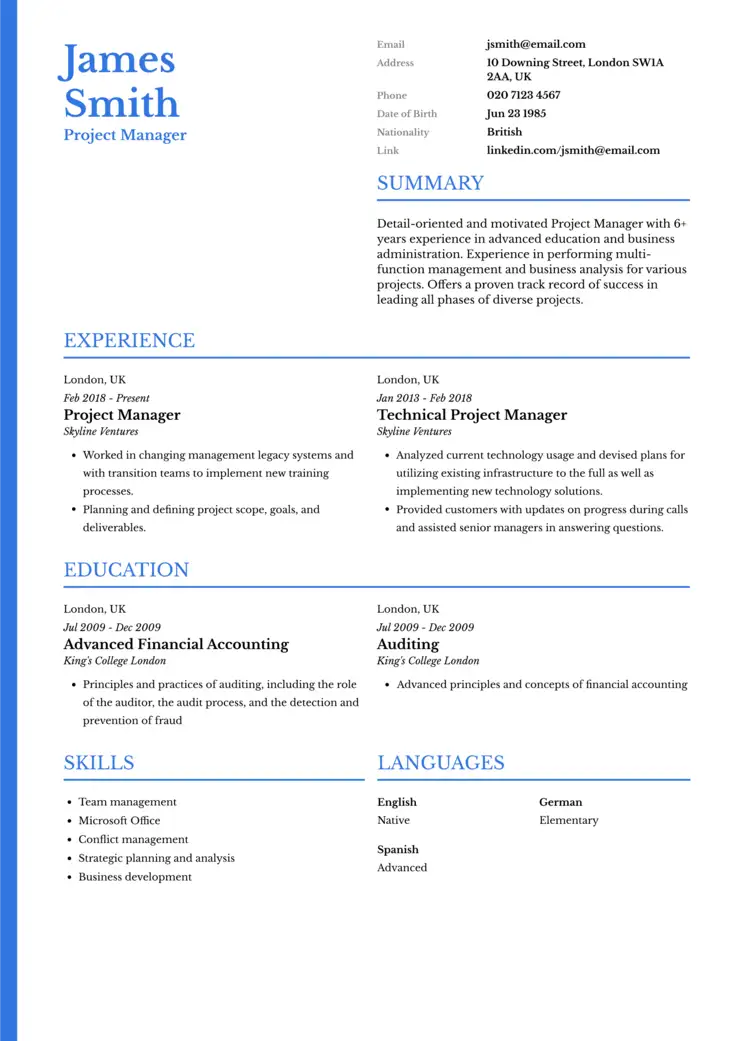
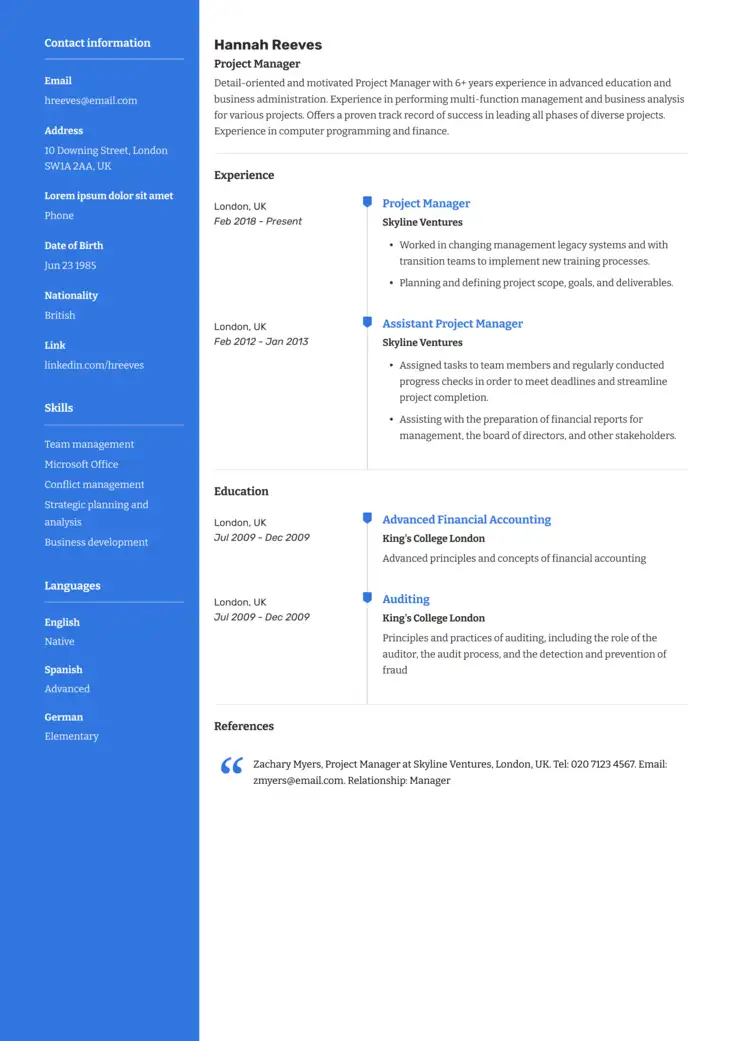
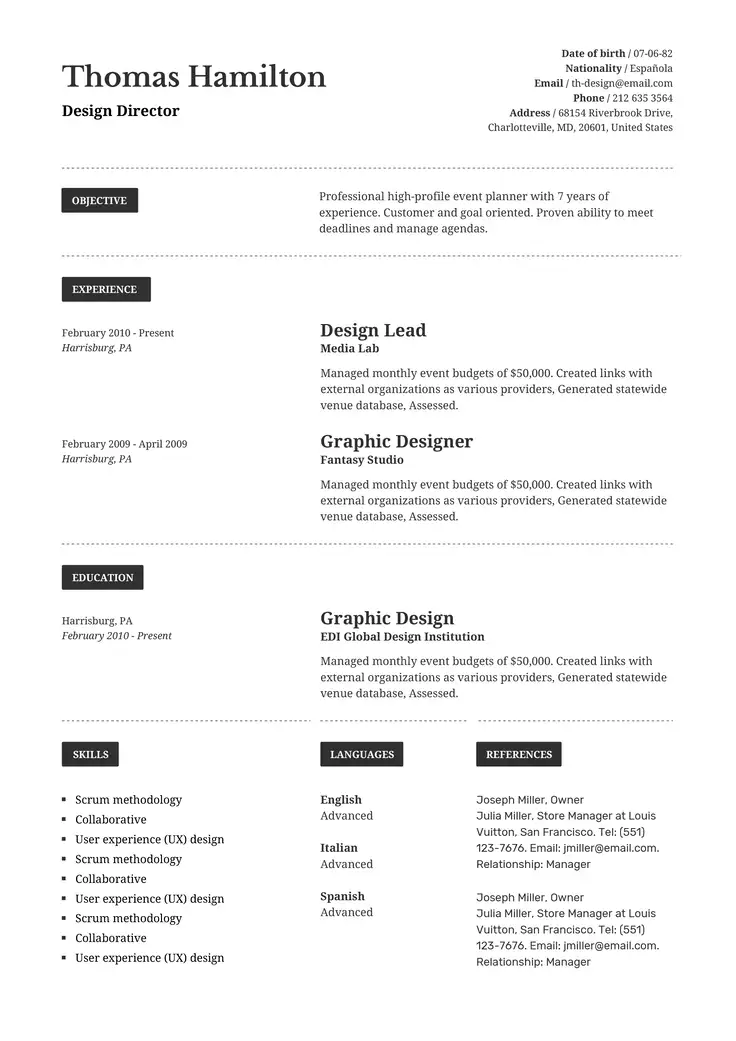
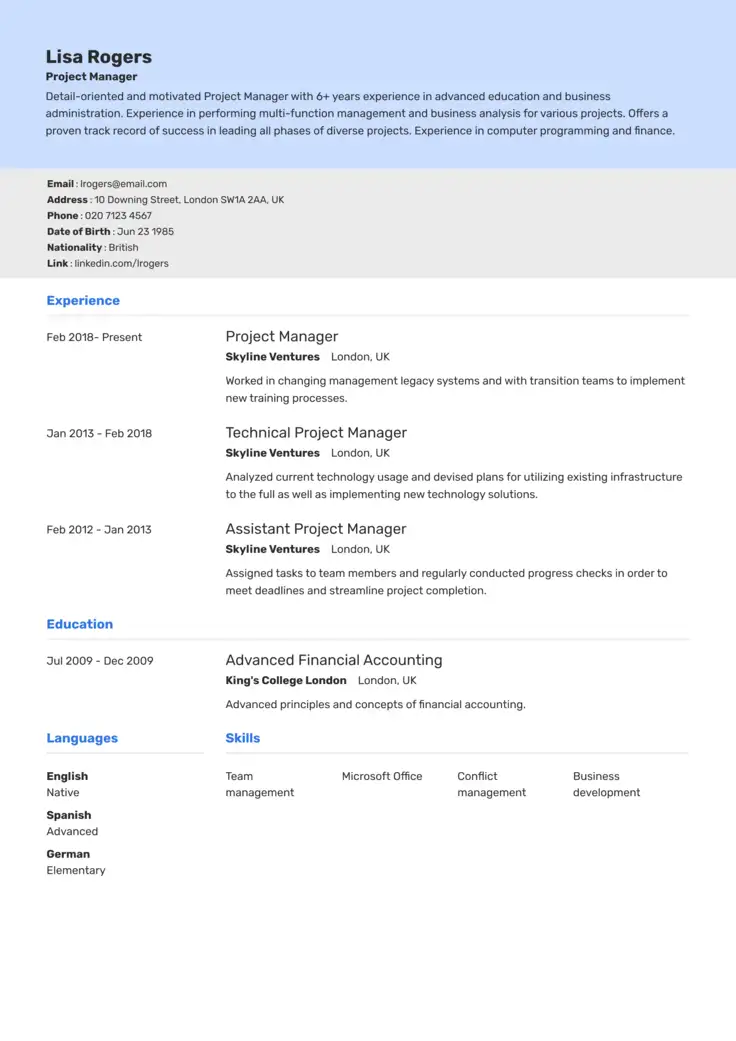
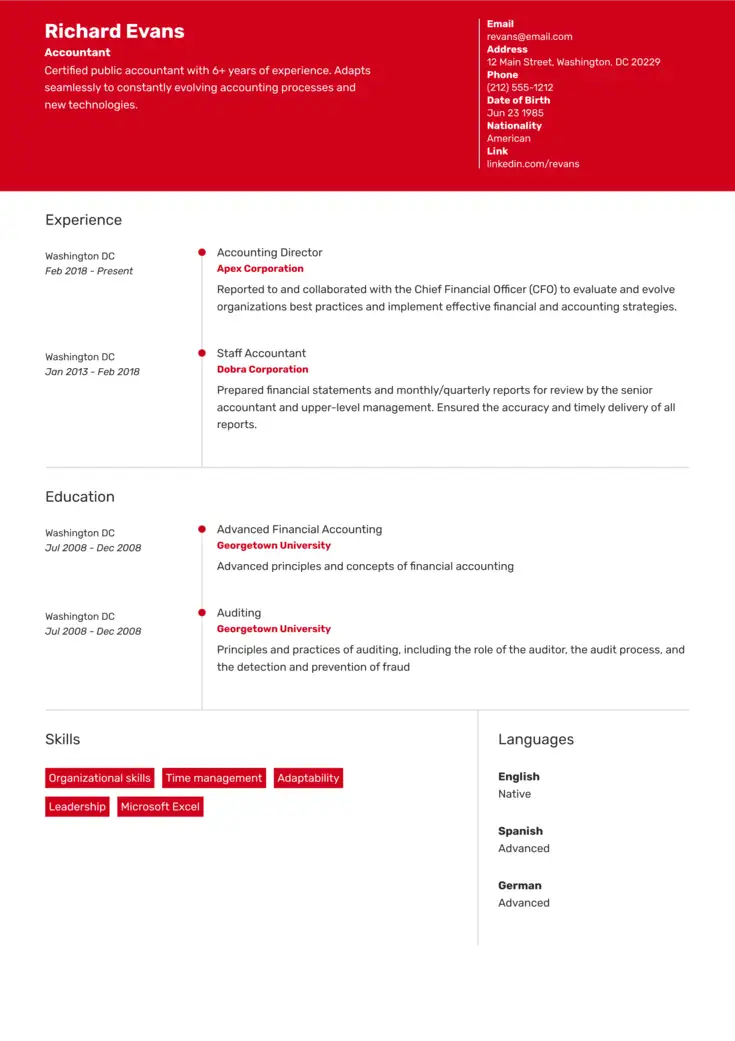
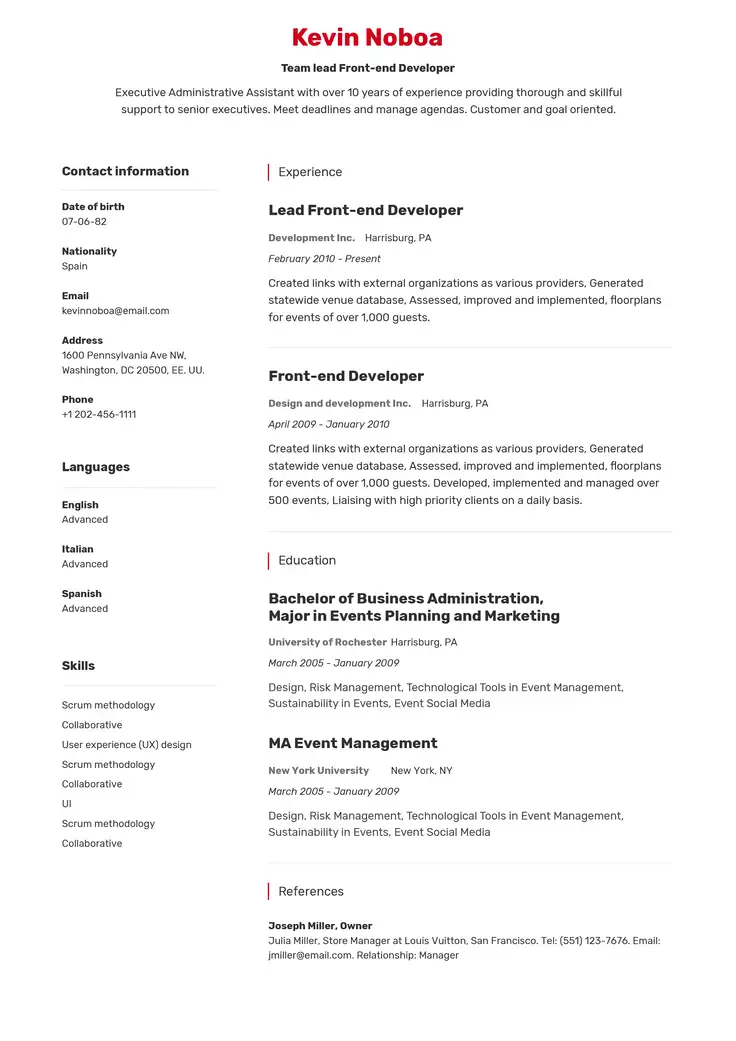
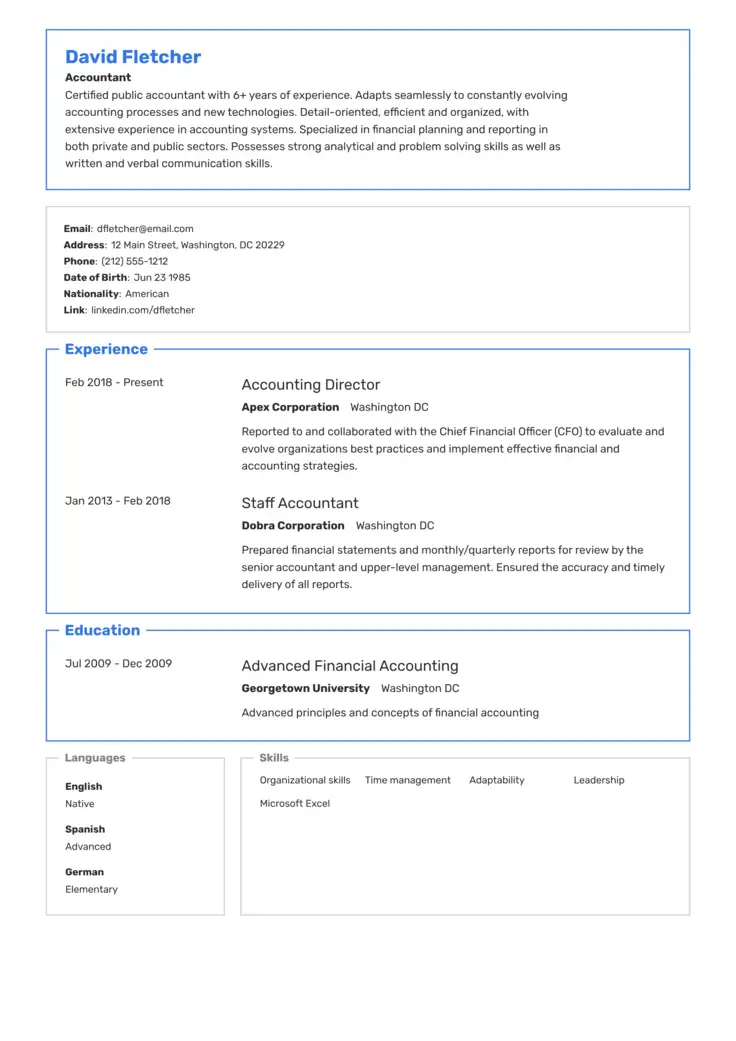
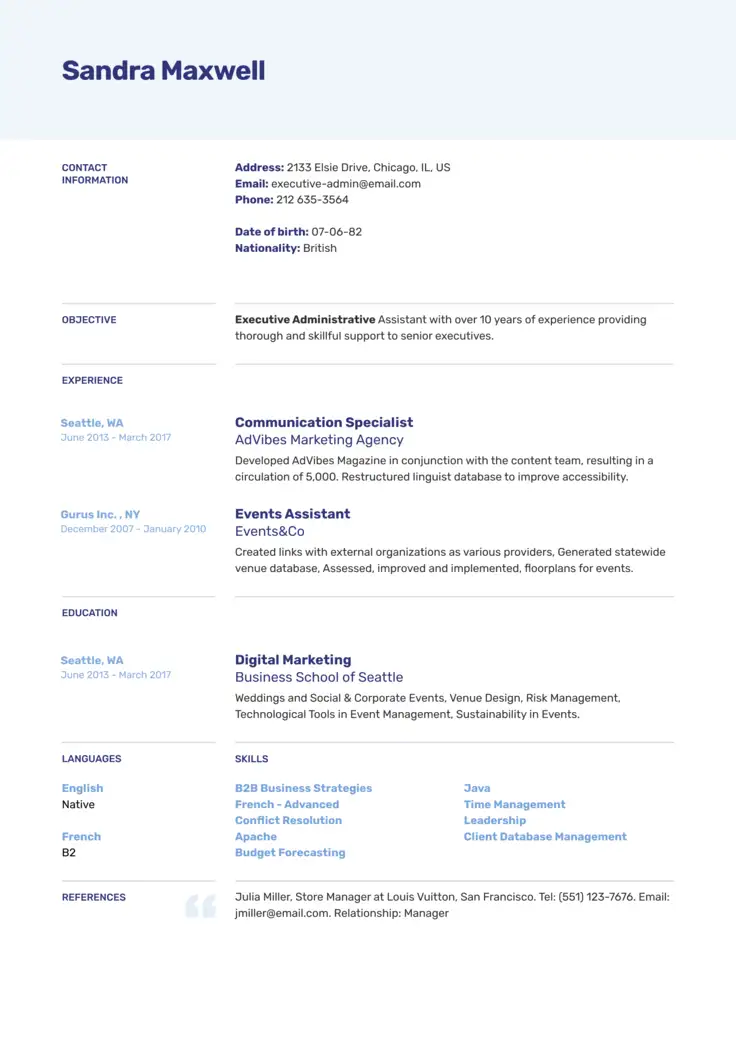
What Are the Three Standard Resume Formats?
The old saying, “If you can’t beat them, join them,” is applicable to selecting a resume layout. In the world of resume writing, it is always advisable to use a resume format that has proven to work time and again.
There are three familiar resume formats that hiring managers expect to see, each proven to deliver results more often than other formats.
The most common resume formats on the market today are:
- Reverse-chronological (also known as chronological resume format)
- Functional (also known as skills-based resume format)
- Hybrid (also known as chrono-functional or combination resume format)
How do these formats differ? When and how should you use each one? Later in this guide, we will discuss each format’s particular strengths and weaknesses. For now, we’ll keep this simple. The primary focus of each format is as follows:
- The reverse-chronological resume format highlights your work experience.
- The functional resume format emphasizes your skills and abilities.
- The hybrid or combination resume format places equal importance on your experience and skills.
Keep reading to discover which format is best suited to your unique situation.
How To Format a Resume
Many hiring managers consider work experience the most important section, which helps explain why the reverse-chronological resume is the most commonly used format.
Reverse-chronological resumes tend to parse more easily with applicant tracking systems (ATS) than other resume types.
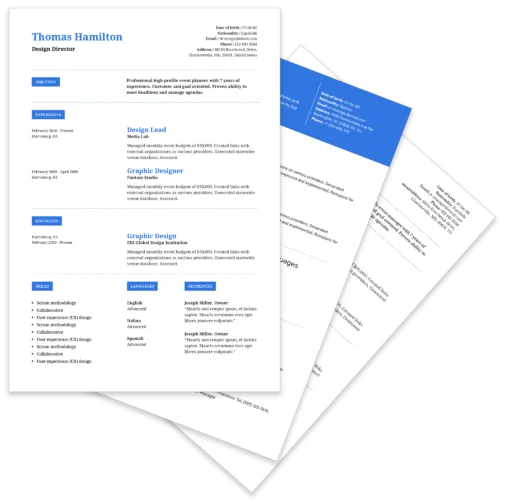
Think you already know which professional resume format you want to use?
Access a pre-designed resume template in our builder.
Reverse-chronological resume format: updated examples
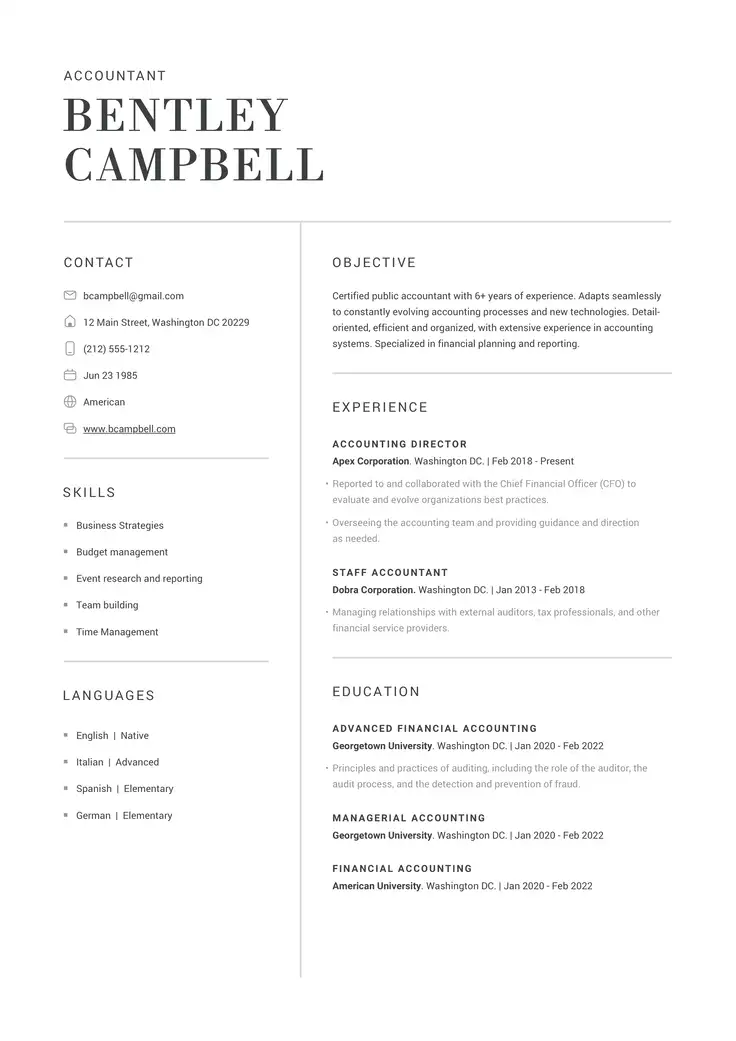
The key part of any reverse-chronological resume is work experience. That’s also what most hiring managers care about.
After your contact details and resume summary, you’ll start with your most recent or current job. List the name of the company, the dates you worked there, and the title you held.
Then, write 3 to 6 bullet points underneath the position, focusing on achievements that are relevant to the job you’re applying for. Our AI resume builder can help by suggesting bullet points that are succinct and based on your individual work experience.
If possible, quantify your accomplishments with metrics within the bullet points. You can do this by including numbers and statistics related to your accomplishments.
Using action verbs alongside keywords from the job description will help your resume be parsed by the ATS and stand out to recruiters. Then repeat this process for the other jobs you held, working your way back to earlier positions.
As an example, consider this resume format sample of work experience from a reverse-chronological barista resume.
Right ✅
Lead Barista
Stacey’s Coffee House | Savannah, GA
September 2023 – March 2025
- Optimized morning workflow during peak hours (7-10 AM) to handle 200+ orders per hour, increasing speed of service by 15%.
- Mentored and supervised 2 junior baristas to achieve a 30% reduction in order errors within 6 months.
- Implemented 6 major promotional initiatives that drove a 9% increase in average daily sales.
- Maintained a 100% customer complaint resolution rate on shift and earned 2 “Employee of the Month” awards.
Barista
Nomad Coffee Shop | Savannah, GA
January 2023 – August 2023
- Acted as product expert, educating customers on 50+ coffee varieties and preparation methods, contributing to an 8% increase in sales.
- Maintained strict health and safety standards, exceeding daily sanitation requirements by 50%.
- Drove customer loyalty and increased average ticket size by providing individualized coffee recommendations to 150+ guests daily.
- Completed an average of 60 weekly online store orders and coordinated inventory and shipping logistics with 100% accuracy.
- Achieved and maintained a 99% guest satisfaction rating across all shifts by proactively addressing needs and safeguarding high-quality service.
Pros and cons of the reverse-chronological resume format
Not convinced yet? Check out the following helpful table of the advantages and disadvantages of the reverse-chronological resume.
Advantages
- Easy-to-read for recruiters, as they are used to this kind of format.
- Always readable by applicant tracking systems (ATS).
- Easy to show your top achievements and most impressive responsibilities.
Disadvantages
- If you don’t have much experience, your professional profile may seem lackluster.
- You may blend in with other candidates due to the prevalence of this resume format.
- Gaps in your work history will be clearly visible.
Skills-based / functional resume format
All functional resumes should begin with a contact details section. Make sure to include a link to your portfolio if you have one.
Follow this with a resume summary, presenting your career goals and the most important skills you’ve gained so far. Don’t neglect to observe how these skills will benefit the company.
Use our AI summary generator to make sure you have all the most relevant skills mentioned in your resume intro.
Then comes the all-important skills summary section.
Here, you select the 4 to 5 skills that are most relevant to the position, as detailed in the job description. But don’t just list them. Give examples, too, and use bullet points or simple paragraphs as you would in the work experience section.
You can then add additional skills, work experience, and your education section.
Below, you can see an example of a skills summary from a full-stack developer functional resume that can impress any recrioter.
Right ✅
SKILLS SUMMARY
Android and iOS App Development
- Developed full-stack mobile applications that analyzed, interpreted, and visually presented data.
- Found and repaired over 300 bugs on application systems.
- Launched 3 key features across iOS and Android platforms, driving a 25% increase in daily active users (DAU) over 6 months.
- Reduced application crash rate by 40% and improved mobile load time by 1.2 seconds through targeted code optimization.
Cross-Team Communication
- Scrum Master of 5-person team. Mentored team members to improve company-wide JavaScript and Python knowledge.
- Worked closely with the UX team to optimize JavaScript and PHP codes, improving latency and user journey.
- Standardized deployment processes across 2 engineering teams.
- Maintained extensive technical documentation that reduced new hire onboarding time for core systems by 50%.
SQL Databases
- Applied new data processing systems for SQL databases that improved efficiency by over 20% and saved $350,000 per year.
- Introduced new SQL security measures, reducing the risk of data theft by 35%.
- Migrated 15+ legacy databases to a centralized SQL server, improving data retrieval speed by 30%.
- Managed database backups and recovery for production systems holding over 10TB of critical customer data, maintaining 99.99% data availability.
Here’s a summary of the general order of sections for this type of resume:
- Contact Details
- Resume Objective
- Skills Summary
- Additional Skills
- Work Experience
- Education
Try our free templates
If you think a functional resume format is for you, go ahead and make one with our professional resume builder.

Hybrid resume format
Like functional resumes, the focal point of a hybrid resume format is still the skills summary, followed by a work experience section. Therefore, it’s also a good resume format for new professionals.
Again, make sure to add up to 4 bullet points beneath each skill, outlining your professional accomplishments to back up your claims. Our AI resume builder can help.
This is how to expertly put this all together in a skills summary and work experience section from a hybrid health administration sample resume format:
Right ✅
SKILLS SUMMARY
Patient Care
- Reviewed the coordination of care for over 200 patients in a major hospital.
- Managed complex daily schedules for 15+ general practitioners, ensuring a 98% patient-appointment fulfilment rate.
- Optimized patient intake processes, decreasing average wait times by 12 minutes (18%).
- Conducted root cause analysis for patient incidents, optimized procedures, and reduced critical errors by 25% annually.
Healthcare Finance and Budgeting
- Created 6 detailed monthly funding reports and budget forecasts, providing executive leadership with accurate data for $15M in annual operational expenses.
- Developed and implemented new hospital compliance measures that ensured100% successful audit rate for 2 consecutive years.
- Approved medical and financial applications per week, maintaining less than a 48-hour turnaround time for critical authorizations.
- Identified and captured $150,000 in annual savings after renegotiating vendor contracts and optimizing supply chain logistics.
Human Resource Management
- Communicated across 5 other department heads to coordinate the hiring of 22 new nurses over in <3 months.
- Led program to upgrade the center’s electronic health records (EHR) system, improving site efficiency by 20%.
WORK EXPERIENCE
Hospital Administrator
Woodview Hospital | Savannah, GA
October 2022 – Present
- Coordinated the care of over 150 patients
- Guaranteed that hospital procedures met safety standards and HIPAA guidelines.
- Lead a weekly meeting with five other department heads to ensure efficiency.
- Managed the hiring of 20 new nurses over a 6-month period.
- Developed solutions that reduced hospital spending by $40,000 a year.
Healthcare Administrator
Shadyside Health Center | Savannah, GA
January 2020 – September 2022
- Organized scheduling for over 20 medical staff.
- Oversaw project to modernize the EHR system, increasing productivity by 20%.
- Compiled detailed monthly reports to evaluate the center’s performance.
- Selected and conducted interviews with potential new medical professionals and office employees.
- Developed a safety education campaign to meet new OSHA guidelines.
Here, you can also check out the typical section order for this type of resume format:
- Contact Details
- Skills Summary
- Work Experience
- Education
- Additional Skills
Reverse-Chronological vs Functional vs Hybrid Resumes
You’ve been waiting for this moment–a direct comparison between the three most common types of resume formats.
Now that you understand the basic principles of each format, a comparison will help you see not only how each format works, but why it does.
Reverse-Chronological Resume Format
- Main focus: Work experience
- Experience section: Top of the document
- Skills section: In the middle of the document
- Primary advantage: Universally accepted
- Primary disadvantage: Very common
Functional Resume Format
- Main focus: Skills
- Experience section: Lower down in the document
- Skills section: At the top of the document
- Primary advantage: Hides employment gaps
- Primary disadvantage: Not all recruiters favor this format
Hybrid Resume Format
- Main focus: Work experience and skills
- Experience section: In the middle of the document
- Skills section: At the top of the document
- Primary advantage: Shows skills and validates them through experience
- Primary disadvantage: May not be favored by recruiters in some industries
Free Resume Templates
Using resume templates that are proven to work will help you to move your career search forward. Start and customize as many resumes as you need with our resume builder

Resume Formatting Tips
With so many format details floating around in your head, you may be wondering, how do you format each resume type? Next, we will examine eight major aspects of formatting that you should give attention to: the margins, font size, font style, bullet points, spacing, headings, order, and file format.
1. Adjust the margins correctly
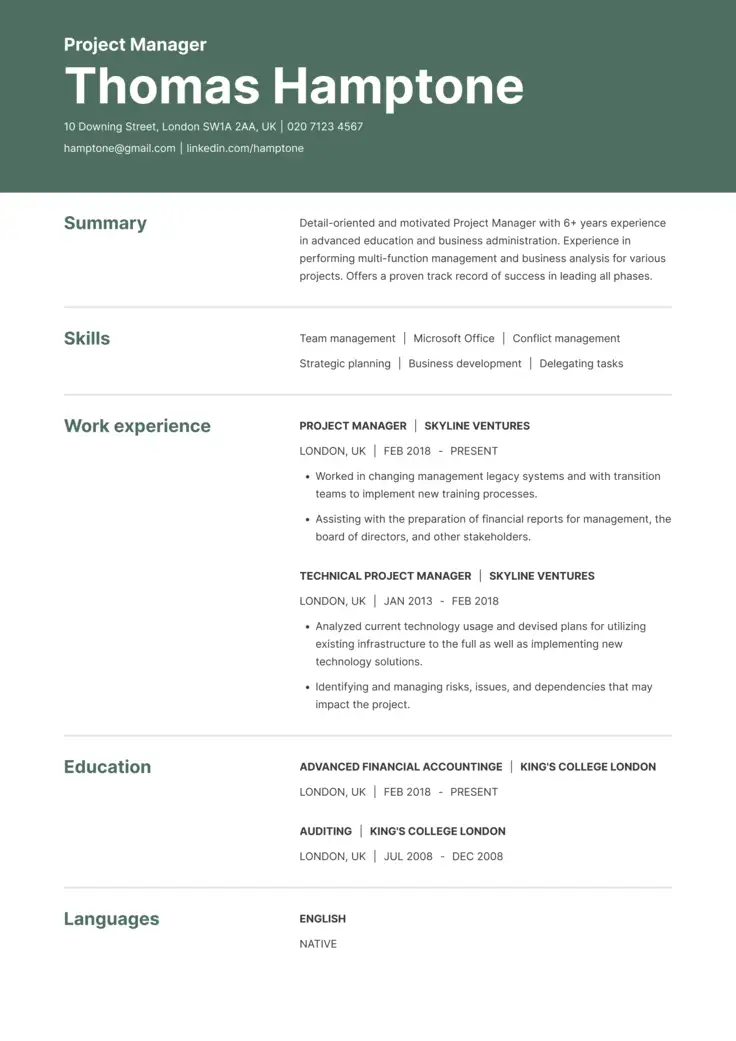
Typically, margins on a resume should range anywhere from 0.5 – 1″. With ample margins, you can improve the look of your document or allow more text to fit on the page.
If you use a professionally designed resume template, you don’t have to worry about margins–our online resume builder will do this formatting for you.
2. Select a font size that’s professional and easy to read
The font size you choose should be easy to read. Typically, the body text of the resume should be between 10.5 – 11 pt font.
Smaller fonts become hard to read, while larger ones will make your document bleed onto a second page. You can use slightly larger fonts for headings.
3. Choose a font style that matches your industry
Selecting a font style is very important. Like font size, style can also aid your document’s readability.
Select a simple serif font like Arial. Avoid cursive or cutesy fonts, as they can be difficult to read. Stick to the same font throughout the document rather than switching fonts.
If you use any special colors for your font or resume, make sure they align with your industry. You can use additional font styles such as italics, bold, and underlining to highlight important keywords or headlines, but make sure you are consistent.
4. Take advantage of bullet points
As mentioned above, your work experience requires bullet points. So do your skills in some resume types.
Most bullet points are simple shapes, such as circles, squares, or triangles. You might select an arrow or diamond-shaped bullet point for some pizazz, but avoid overly showy icons, such as emojis.
When you use our online resume builder, appropriate bullet points will be put in place for you. You can even get suggestions on wording your bullet point descriptions from our AI-powered tools.
5. Know what spacing is needed when formatting a resume
Typically, you can rely on the character, line, and paragraph spacing programmed into your word processor or resume builder.
Consider putting an extra line between the entries in each section (for example, between the bulleted list of one job and the title of the next) to separate them gently.
6. Understand how to format your resume headings
As mentioned above, headings should stand out. Use bold or slightly larger font sizes in your headings.
Also, select clear, appropriate titles for your headings. “Skills,” “Work Experience,” and “Education” are among the most common.
7. Order the information on your resume correctly
Reverse chronological resumes may have a brief skills list near the top or side, but the Work Experience section is given prominence.
Give careful thought to which section holds the strongest, most relevant reasons why you are a good fit for the job.
8. Select the right file format to save your resume
Don’t leave your resume’s file format to chance or as an afterthought. The file format you choose can make or break your resume. Why?
Word documents and similar file formats can lose the formatting you worked so hard to create when opened on a different device or using another program. PDFs, on the other hand, should appear exactly the same no matter how they are viewed.
When you use our online resume builder, you can select from several formats, but we recommend downloading it in PDF. If you need to make changes, you can always revisit your account, edit the document, and download a new copy.
You can also download an editable Word document and then export it to PDF from there.
Key Takeaways
You’re now an expert on resume formatting.
Here’s also a quick recap on all the most important points from this article:
- Craft a resume that’s easy to read by following our style guidelines: lots of white space, professional fonts, section headings, and half-inch to one-inch margins.
- The best resume format for your job will depend on your particular career situation.
- If you are unsure which type to use, reverse-chronological is always a good resume format to lean on.
- Use a professional resume template.
- Download your chosen completed resume format in PDF or Word.

Try our AI resume builder!
Now that we’ve got that covered, you’re 100% ready to get started with your own document by using our resume builder. Don’t miss out, candidates that use it get 2x the amount of interviews as those who don’t.
FAQs
The ideal resume will have a clean, simple format that is ATS-friendly. It should have clear headings, utilize bullet points, and have enough white space between sections to make it easy to read.
It should follow one of the three basic formats: reverse-chronological, functional, or hybrid format.
Tip: Move your skills section to the top of your resume, below the summary, to highlight your abilities, especially if you don’t have much work experience yet.
Many recruiters prefer or expect to see resumes in the reverse-chronological format.
This lists the most recent experiences or qualifications first and works backwards. This demonstrates your progression at work or in education.
Tip: If you are a recent graduate with no experience in the workplace, you can move the education section before the work experience section.
For recent graduates with limited experience, the reverse-chronological or hybrid format works best.
Start with your education and any internships, volunteer work, or academic projects that demonstrate skills that are listed in the job offer you are writing your resume for.
Tip: Include a skills summary at the top of your resume. This is a short, bulleted list of the skills developed through your education, extracurriculars, and other life experiences. It demonstrates that, even though you haven’t had significant work experience, you have skills that make you suited to the job.
Our experts always recommend the reverse-chronological format. You can always tailor the resume to highlight your transferable skills and achievements relevant to the job description.
The functional resume format is an alternative option for career changers. It emphasizes skills and achievements over chronological job history, helping highlight transferable capabilities while downplaying gaps or unrelated roles.
Tip: Whichever format you choose as a career changer, make sure you write about your experience in a way that fits with the job you are applying for. Keep relevant skills nearer the top of your resume.
Executives benefit most from a reverse-chronological format combined with a strong executive summary and a results-focused achievements section that includes metrics.
Tip: Use clear sectioning for leadership roles, strategic impact, and quantifiable business outcomes.
Common practices regarding resume length have changed in recent years. It’s a good idea to keep a resume to one page if you’re earlier in your career, but you can extend it to 2 pages if you have a lengthier career.